
CASE STUDY - ZAPIER INTEGRATIONS
Making multiple online platforms work as one system
Running an online course business means running multiple platforms at once. Each one handles a different piece of the customer journey, and each platform operates independently unless intentionally connected.
Zapier was used selectively to close the operational gaps between platforms.
This case study covers three Zapier workflows built and maintained for a course creator running Facebook Lead Ads, Kit, SamCart, Teachable, and Proof.
The Outcome
A more connected backend system with smoother automations, cleaner onboarding flows, and less manual work required behind the scenes.
Tools Used
Kit, SamCart, Teachable, Meta Business Suite, Proof
Industry
Digital Courses + Online Education
THE SITUATION
Multiple platforms, each handling a different part of the business
The business ran across five platforms, each with a distinct role:
Facebook Lead Ads for subscriber acquisition
Kit for email marketing
SamCart for checkout and sales
Teachable for course delivery and student access
Proof for social proof and conversion support during launches
Each platform did its job well in isolation.
The challenge is that customer journeys don't stay in one place. A lead captured on Facebook needs to land in the right email sequence. A purchase in SamCart needs to unlock course access in Teachable. A completed sale needs to feed social proof in real time.
Without intentional connections between these platforms, those handoffs either happen manually, or they don't happen at all.
THE APPROACH
Connect deliberately, not automatically
Not every platform connection needs Zapier.
Where reliable native integrations exist, they are always the cleaner choice, fewer moving parts, less to maintain and less costs.
The approach here was to use native integrations where they existed, and use Zapier to handle the gaps that native connections couldn't cover.
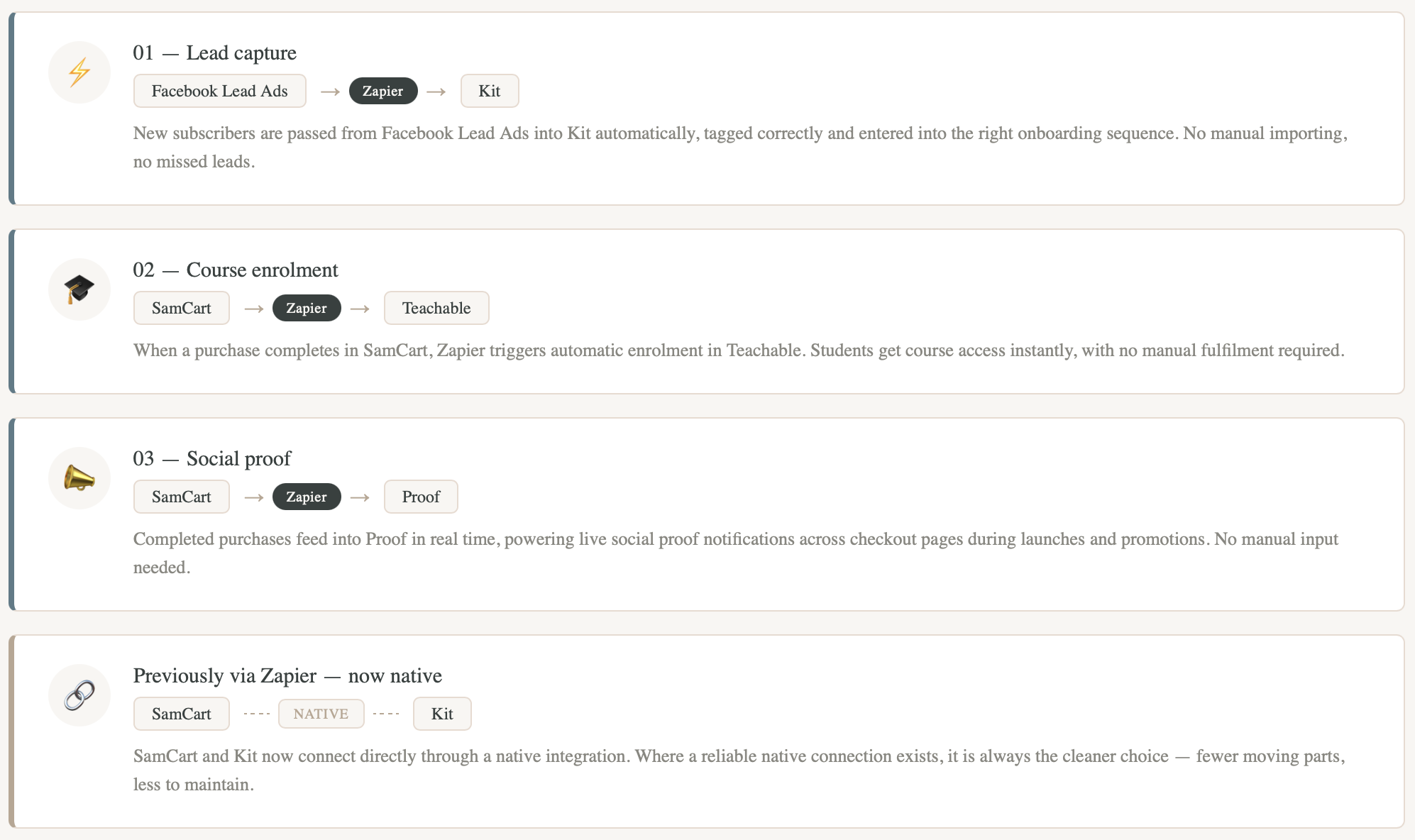
At the time of this project, SamCart and Kit had no native integration, so that connection ran through Zapier as well. That has since changed, and the SamCart to Kit workflow now runs natively, which is the right outcome. Good systems evolve.
The three Zapier workflows that remained covered lead capture, course enrolment, and social proof.
THE SYSTEM
How the workflows were built
1. Lead capture
Facebook Lead Ads → Kit
New subscribers coming in through Facebook Lead Ads were automatically passed into Kit, tagged correctly, and entered into the right onboarding sequence without any manual importing.
This ensured every lead was captured cleanly and immediately entered the correct lifecycle path from the moment they opted in.
2. Course enrolment
SamCart → Teachable
When a purchase completed in SamCart, Zapier triggered automatic student enrolment in Teachable so course access was granted immediately, without any manual fulfilment required on the business owner's end.
This was especially important during launches and higher-volume sales periods, where manual enrolment would create delays and a poor first experience for new students.
3. Social proof
SamCart → Proof
Completed purchases in SamCart fed into Proof in real time, powering live social proof notifications across checkout pages during launches and promotions.
This kept conversion support running automatically throughout sales periods without any manual input.
WHAT I HANDLED
Integration build and ongoing maintenance
Zapier workflow setup and configuration
Facebook Lead Ads to Kit integration
SamCart to Teachable enrolment automation
SamCart to Proof sales feed
Tagging and lifecycle entry logic in Kit
Automation testing across all workflows
Ongoing monitoring and troubleshooting
Reviewing and migrating workflows where native integrations became available
THE RESULT
Three clean workflows running in the background
Leads entered the right sequences automatically. Students received course access the moment their purchase completed. Social proof fired across checkout pages without any manual input during launches.
The backend handled the handoffs so the business owner didn't have to.
THE TAKEAWAY
The tool is never the point
Every platform connection in this system had a reason behind it.
Not "we used Zapier because that's what we use," but "this gap exists, this is the right way to close it, and here's how to keep it stable."
That's the difference between a backend that accumulates tools and one that actually holds together. Good systems thinking means choosing the right connection method for each handoff, whether that's a native integration, a Zapier workflow, or something else entirely, and being willing to revisit that choice as the platforms evolve.
The goal is always clean handoffs and a backend that runs without manual intervention. The tools are just how you get there.
READY TO FIX THIS?
Want your platforms talking to each other properly?
If you're handling customer handoffs manually, or not sure which connections need Zapier and which don't, let's take a look.
Book a free strategy call and we'll map out exactly what needs to be connected, and how.